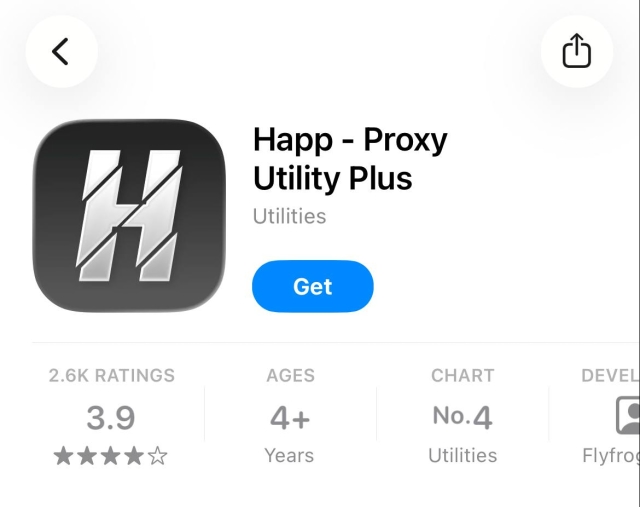
Step 1
To use our VPN, you need to install the Happ app from the App Store.
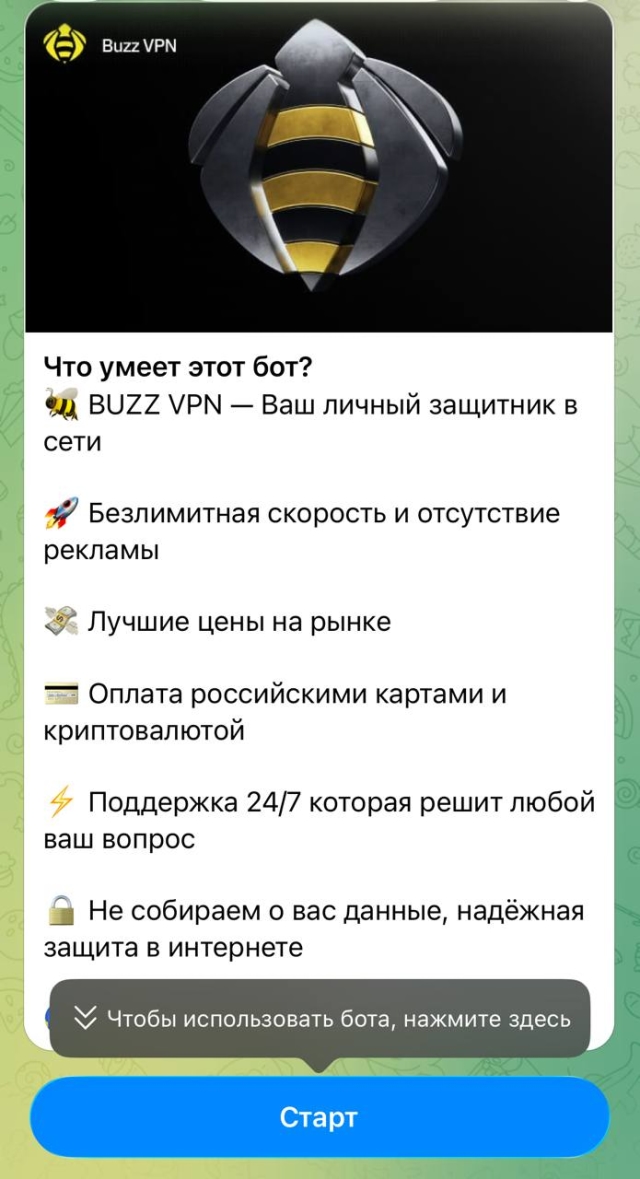
Step 2
Open our Telegram bot and tap the Start button.
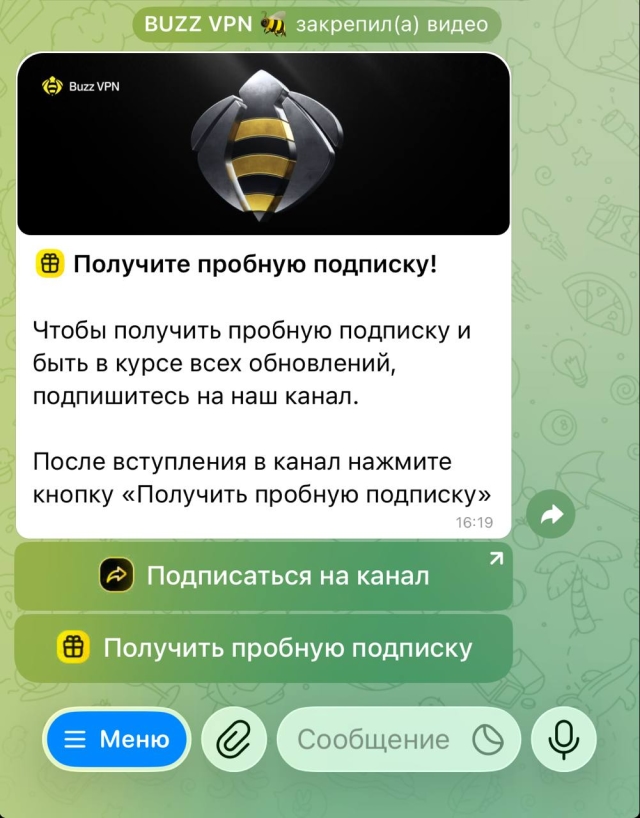
Step 3
To get a trial subscription, subscribe to our channel, then tap the Get trial button.
Step 4
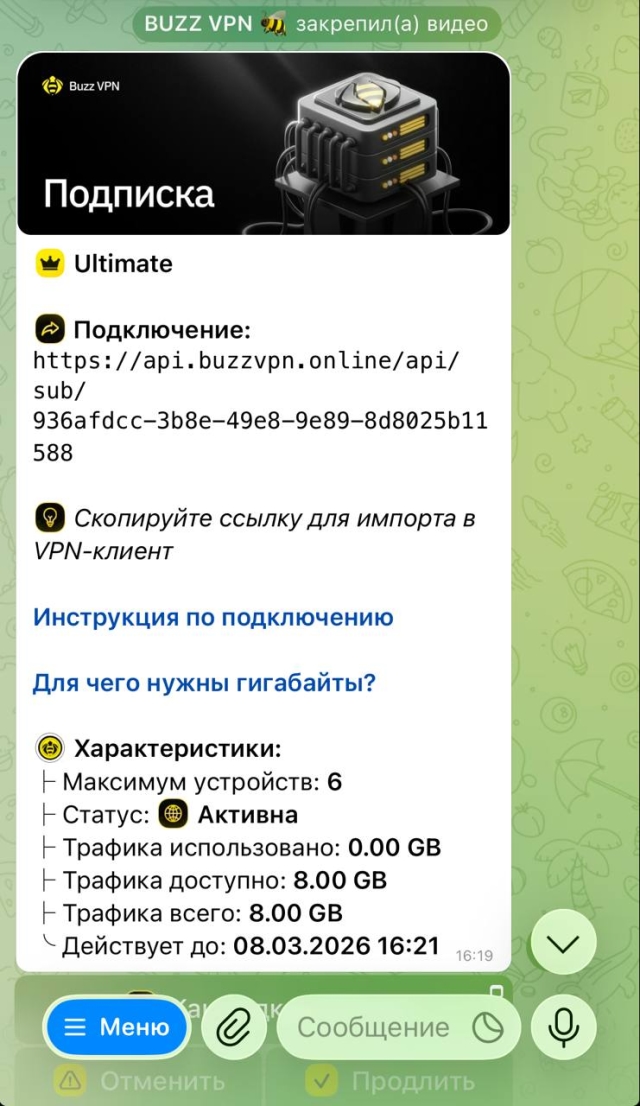
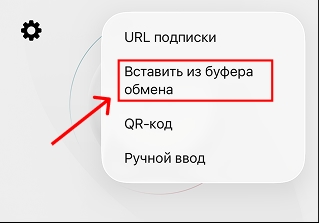
A personal connection link will appear in the Telegram bot. Copy it - this is the link you need to paste into Happ.
Step 5
Step 6
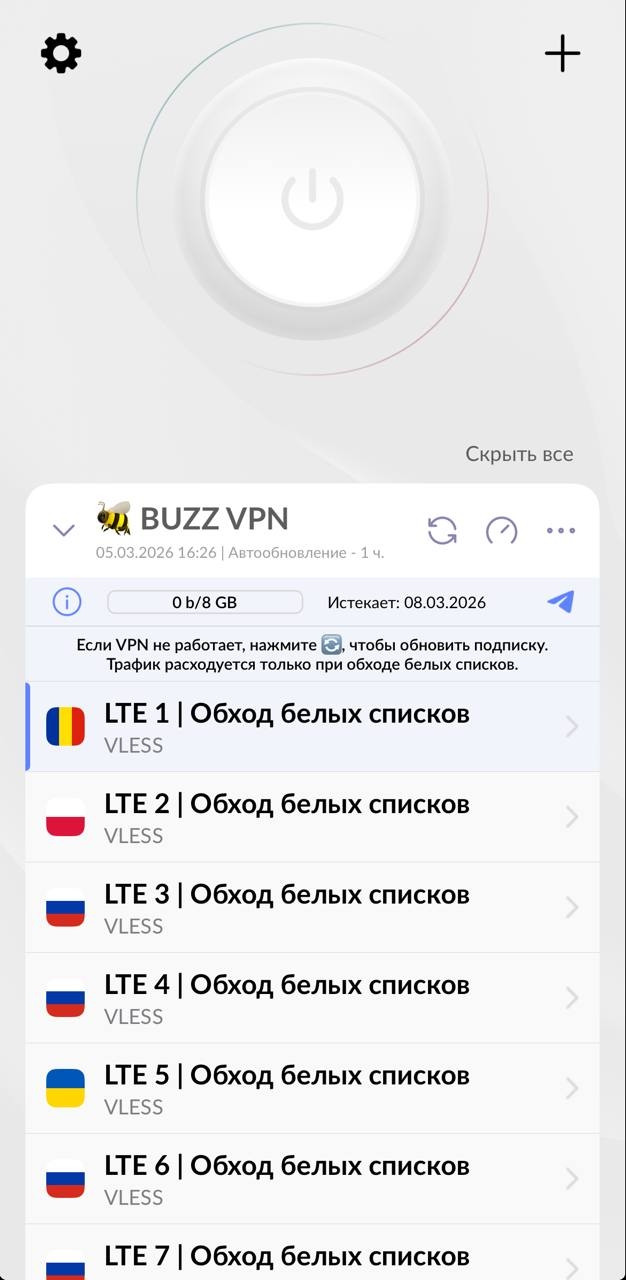
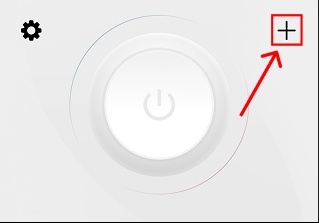
After you paste the subscription link into Happ, the server list will appear. Choose the one you want and tap the "Connect" button at the top of the screen.